Add your keyboard.
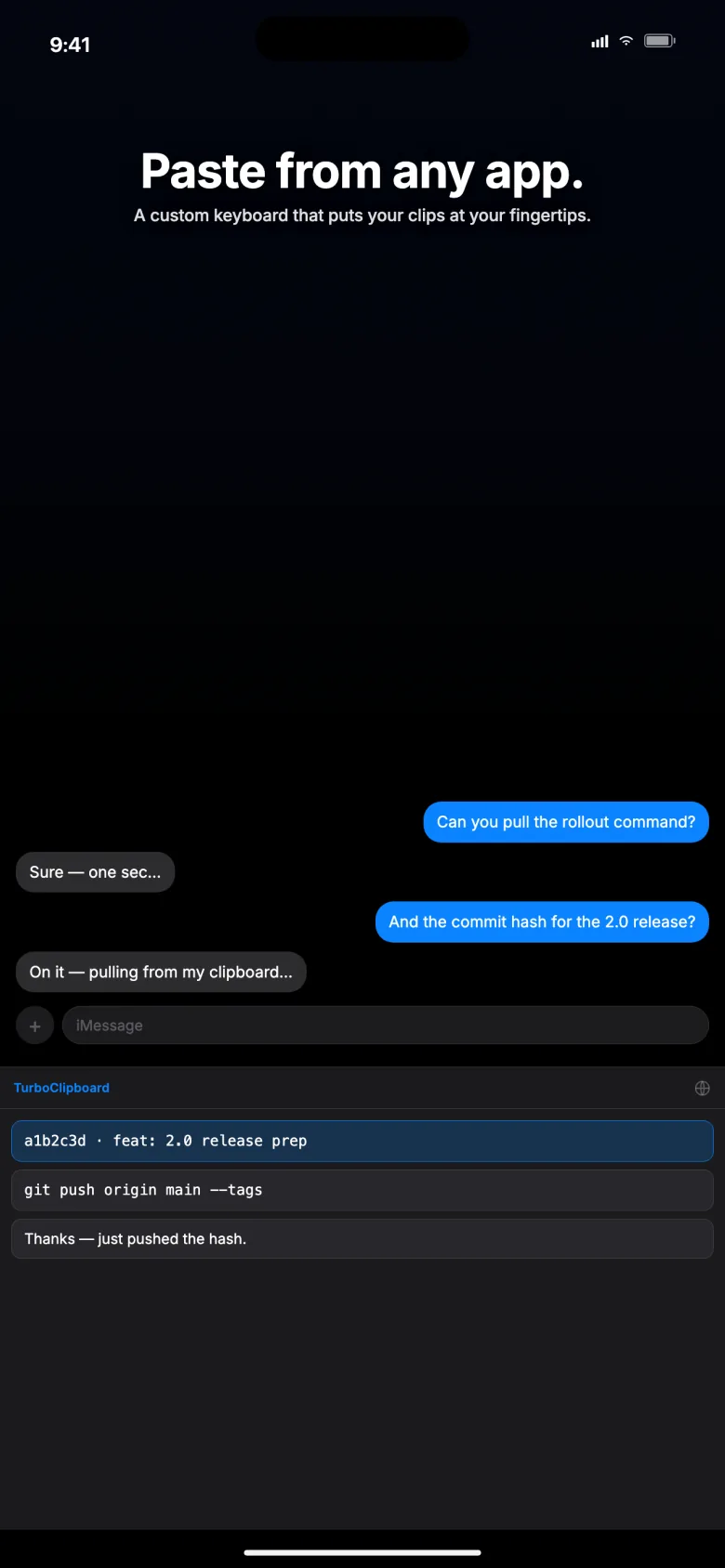
Enable TurboClipboard in iOS keyboard settings, then allow Full Access to open your encrypted library.
 TurboClipboardSetup guide
Included with TurboClipboard · iPhone + iPad
Paste saved clips and personalize reusable templates, right where you type.
Keep your booking links, follow-ups, and useful replies close to the conversation.
Get TurboClipboard — $9.99 once$9.99 one-time U.S. price · Mac + iPhone + iPad included.
No subscription. Local prices vary.
The custom keyboard and template filling are available now. The new Clipboard and Selection capture controls shown in the illustration are coming in v1.2.0.
iOS / iPadOS 26.4+ · macOS 26+
Reusable templates
Save a template with fields for the parts that change. Open it from the keyboard, enter the values, preview your reply, and insert it into your draft.
You keep control of the wording. Review and edit before sending.
Example template
Hi {{name}},
Following up on {{topic}}.
What time works for a quick chat?
Ready to insert
Hi Maya,
Following up on Friday’s review.
What time works for a quick chat?
Coming in v1.2.0 · release pending
Tap Clipboard to save copied text, or Selection to save selected text, from the keyboard itself. iPhone capture is manual; it does not watch your clipboard in the background.
Email me when v1.2.0 is liveOpens your email app. Send the message to request a release update.
Enable TurboClipboard in iOS keyboard settings, then allow Full Access to open your encrypted library.
Browse or search your saved clips from the keyboard. Choose the one you need.
Tap a clip to insert it. Edit your message before sending.
No. On iPhone, you explicitly save text from the keyboard, app, or share sheet. It cannot recover text that was overwritten before you saved it.
Add TurboClipboard in Settings → General → Keyboard → Keyboards, then enable Full Access so it can open your encrypted library. iOS may ask permission when you tap Clipboard. Some apps and secure fields block custom keyboards. Read the setup guide.
No. The keyboard runs locally and does not log keystrokes or send your clips to Epistates. Read the privacy policy.
Yes, with optional iCloud sync enabled on your Apple devices. Supported clips are encrypted on-device before upload. Sync is not required for local use.
No. One purchase includes Mac, iPhone, and iPad. The U.S. price is $9.99; confirm your local price in the App Store.
Already using TurboClipboard? View the current App Store version.