macOS
A command palette for your clipboard.
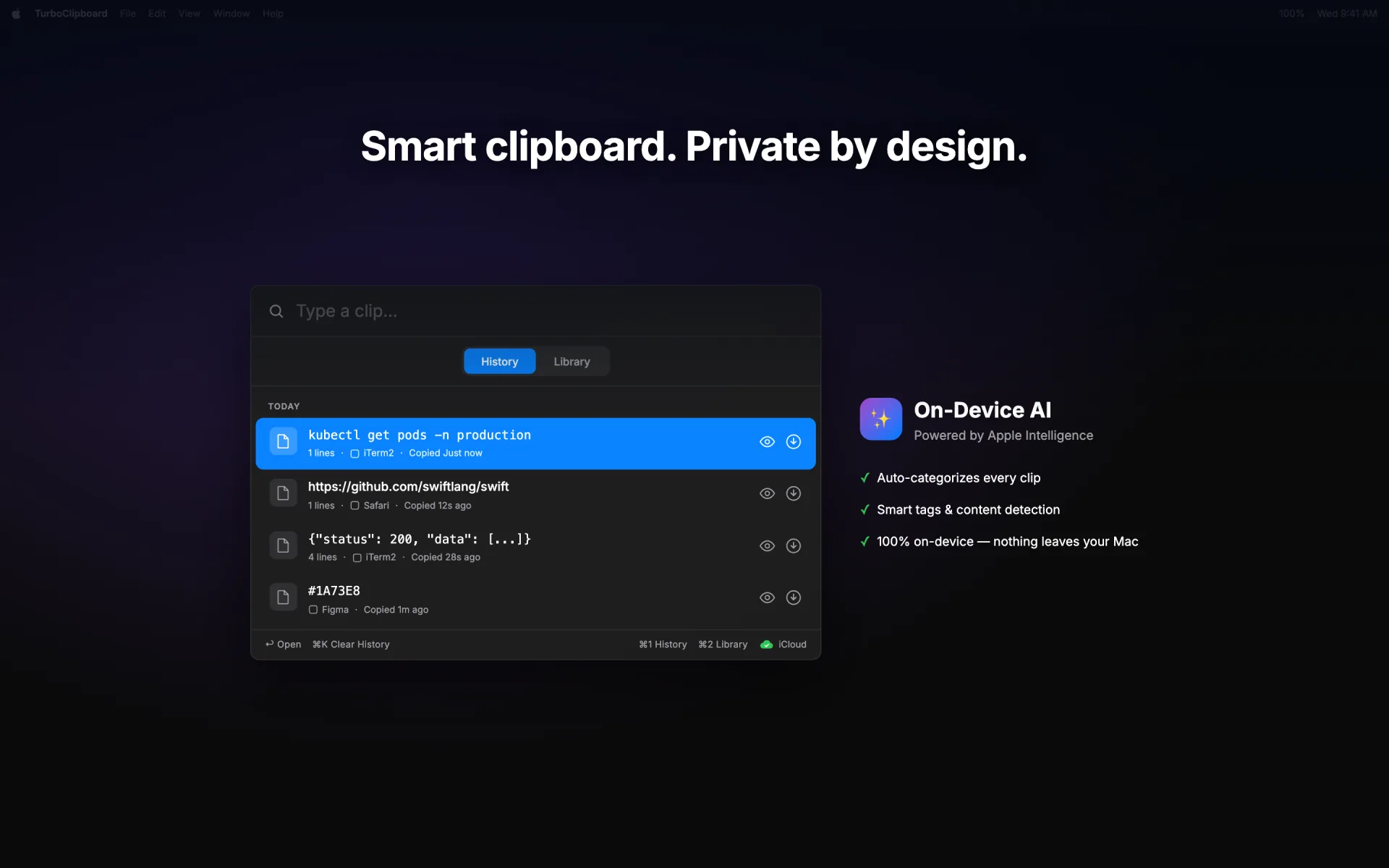
Summon TurboClipboard from anywhere, search history and saved clips, preview long content, and paste directly into your app without breaking flow.
Explore macOS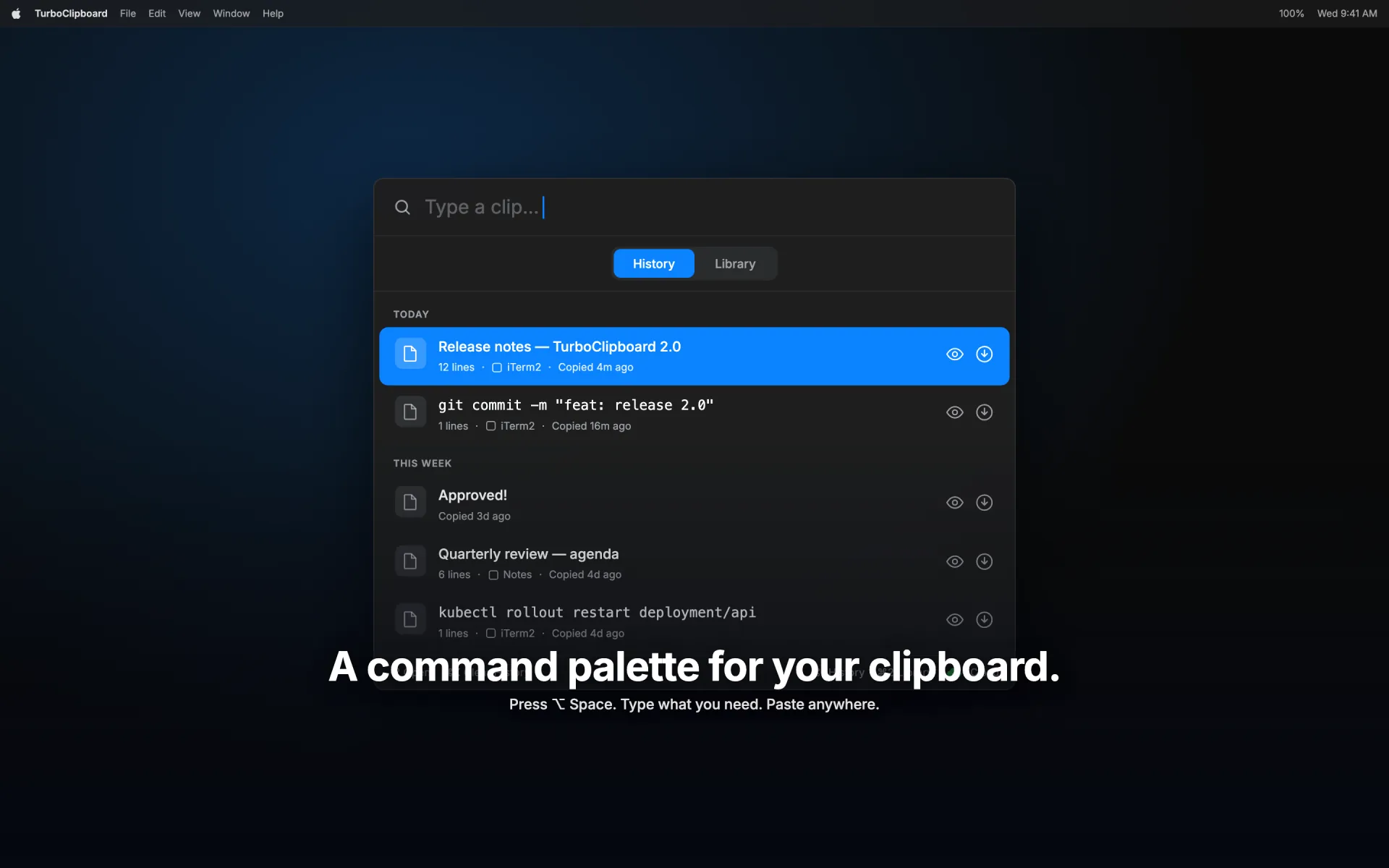
TurboClipboard
Available on the App Store · Version 1.2.0
Search everything you’ve copied and paste it straight back into the app you were using — without leaving the keyboard. Sensitive clips protect themselves, and optional iCloud sync is encrypted so only your devices can read it.
One-time purchase · no subscription · no account · Family Sharing
Price
$9.99 once
Includes
Mac, iPhone, iPad
Sync
Client-side encrypted
Tracking
None, ever
Product previews
Watch the Mac palette in motion, then see how synced text history, saved clips, and templates fit iPhone and iPad.
macOS
Summon TurboClipboard from anywhere, search history and saved clips, preview long content, and paste directly into your app without breaking flow.
Explore macOSiPhone
One tap keeps what you just copied. Search your synced clips and fill templates right inside the field you are typing in.
Explore iOSiPad
Library, history, search, privacy controls, and template workflows use the room iPad gives you.
Explore iPadDesigned for daily use
TurboClipboard is built around real clipboard workflows: finding the right item fast, preserving useful context, acting on the selection, and keeping sensitive data under control.
Capture
Text, rich text, images, files, URLs, and local app-object snapshots on Mac.
Organize
Tags, pins, reorderable Library, smart folders, source apps, and duplicate controls.
Act
Direct paste, quick paste, the Command-K action panel, preview, transform, merge, and speak.
Protect
Client-side encrypted sync, sensitive-clip concealment and auto-expiry, private-by-default image capture, and screen-share hiding.
Sensitive clips
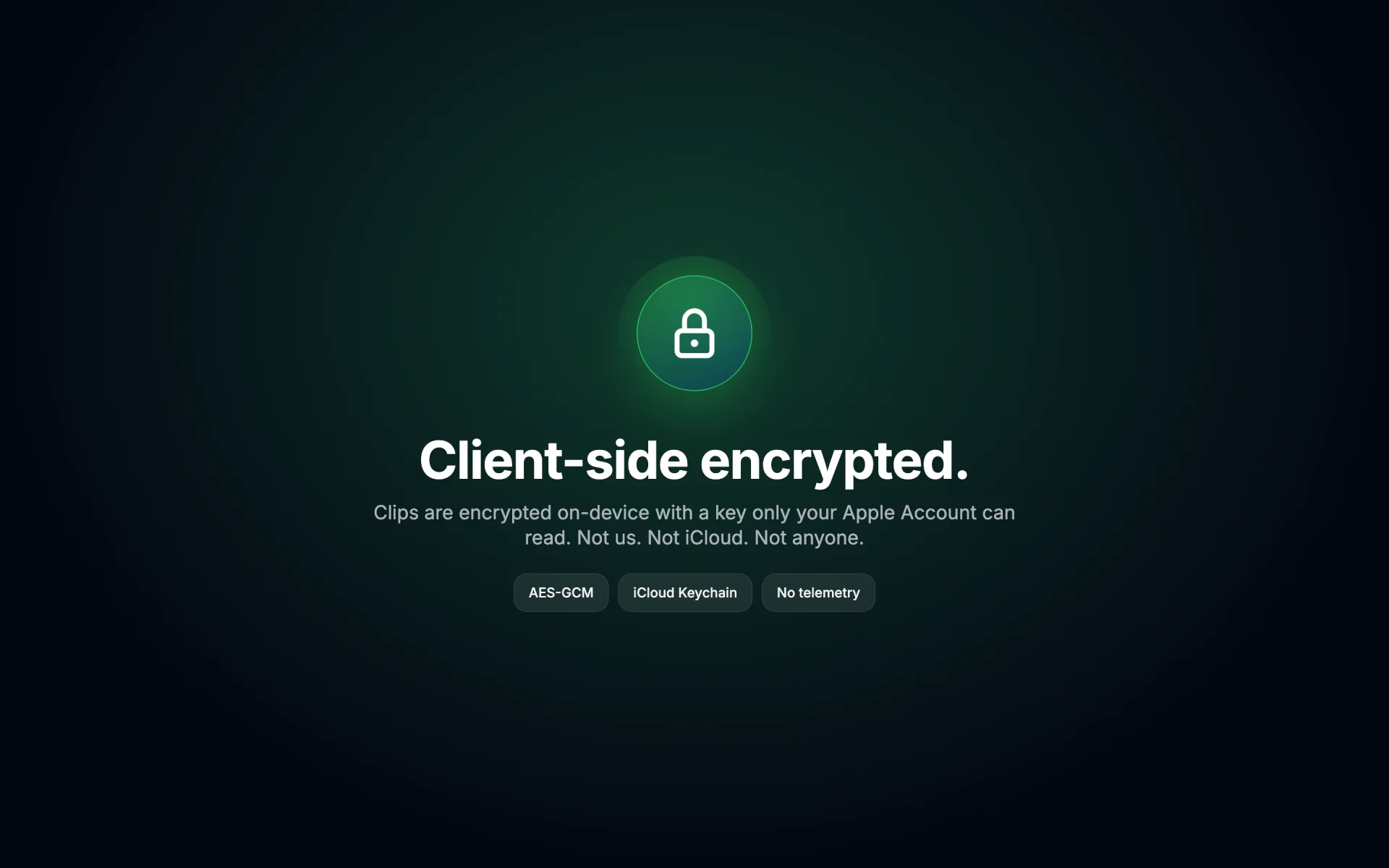
TurboClipboard flags OTPs, API keys, and password-manager copies the moment you copy them, conceals them until you hover, keeps them off sync, and can auto-expire them on a countdown.
Palette
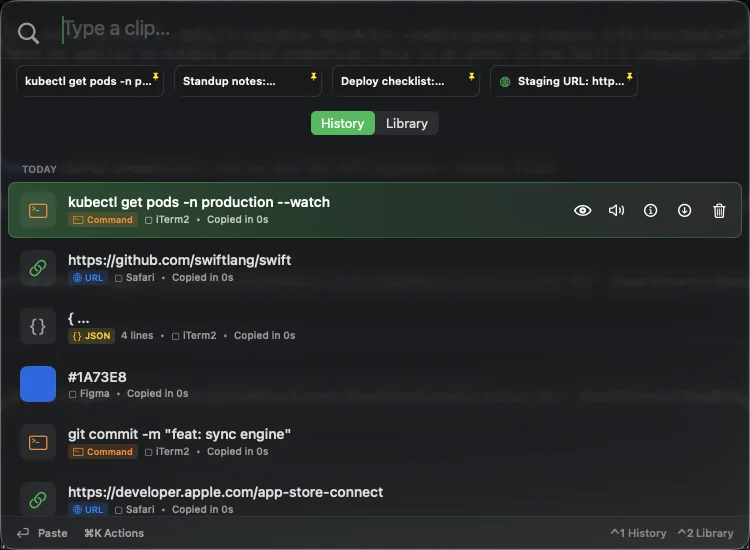
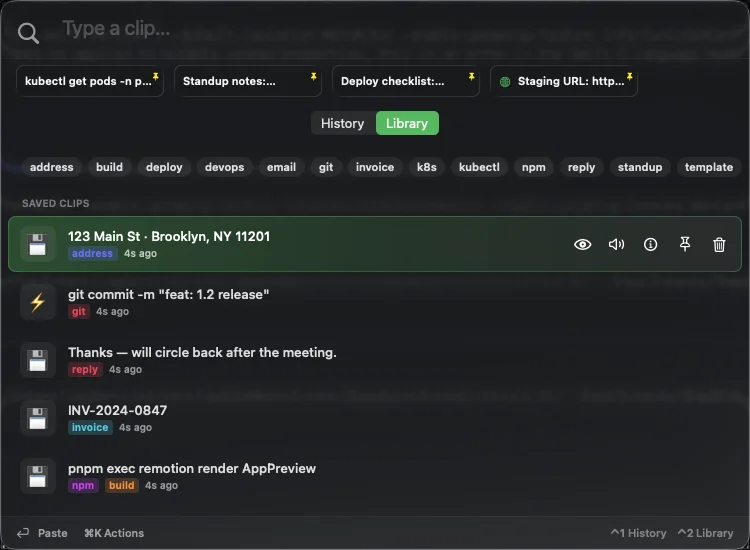
The Mac surface opens like a command palette: type, arrow, preview, direct-paste, or open the Command-K action panel without switching mental modes.
History
Recent text rows pick up local URL, code, color, and JSON tags as you copy. Saved Library clips, pins, templates, and smart folders live in a separate scope so the recent feed never turns into a junk drawer.
iOS keyboard
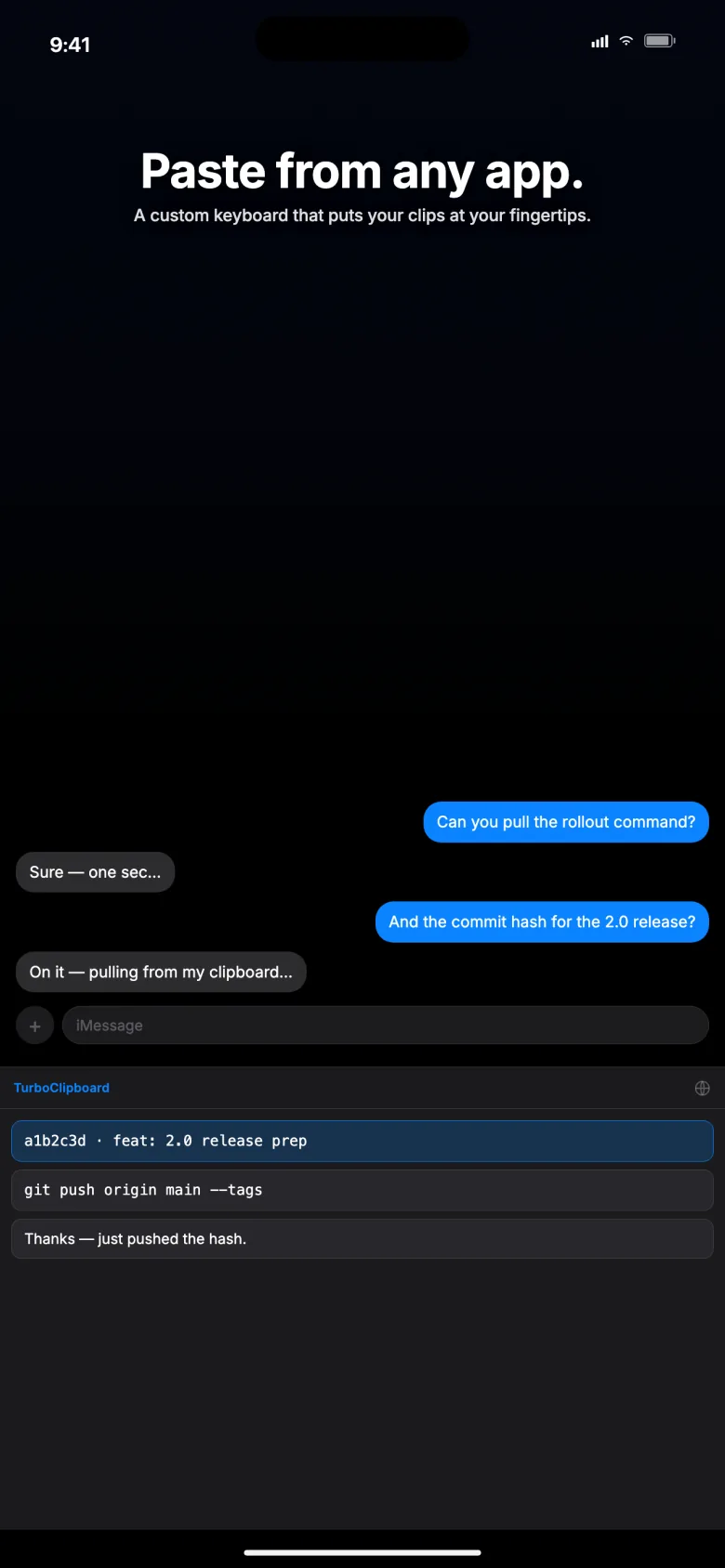
Save what you just copied, search your synced clips, and fill templates inside the keyboard itself — instead of bouncing between apps.
What it does
The capabilities that make TurboClipboard a daily driver: keyboard-first paste, on-device intelligence, and privacy that is on by default — all native Swift, no web account layer.
One-time codes, API keys, private keys, and password-manager copies are flagged automatically, concealed until you hover, kept off sync, and can auto-expire on a countdown. No other setup required.
Return pastes the selected clip straight into the app you were using. Option-Return swaps paste and copy, Shift-Return pastes as plain text, and holding Command reveals 1-9 keycaps for instant paste.
Your clips are encrypted on your device before they ever sync, so only your devices can read them — not Epistates, and not anyone else. Sensitive clips never sync at all.
Clips are categorized and long text is summarized right on your device. Transform pipelines can add Apple Intelligence steps — proofread, summarize, rewrite — and search finds clips by meaning, not just keywords. Your clipboard is never sent to a cloud model or any third-party AI.
A searchable panel puts every action for a clip — paste variants, preview, smart actions, save, pin, delete — one keystroke away, without memorizing shortcuts.
Resize the palette and it remembers its size and position. Choose Remember last, Centered, or At pointer placement, and Comfortable or Compact density.
One App Store purchase covers the Mac app, iPhone app, iPad app, the share sheet, and the custom keyboard.
Save Library searches and tag filters as smart folders. Names, queries, and tags are encrypted with synced settings, and browsable on Mac, iPhone, and iPad.
Multi-select can merge, save, and bulk-tag rows, while 16 built-in text transforms clean up JSON, URLs, Base64, whitespace, casing, and lines — and chain into named pipelines with global shortcuts and optional on-device AI steps.
Mac images stay on the capturing Mac unless you explicitly opt in to encrypted sync for that image. TurboClipboard warns that images can use substantially more iCloud storage. File references and app-specific objects always stay device-only, while OCR and file text extraction remain local.
Bring in TextExpander CSV/TSV, Alfred snippets, Raycast snippet JSON, plain text files, and local Maccy history databases from the Mac Settings window.
A sidebar layout with nine sections stays visible and searchable at any window size, with badges showing what syncs and what stays on this Mac.
There is no Epistates server, no analytics, no ads, and no subscription to manage. Choose System, Light, or Dark appearance across the app.
Daily workflows
Search
Fuzzy search spans history, saved clips, templates, commands, URLs, and snippets in real time.
Templates
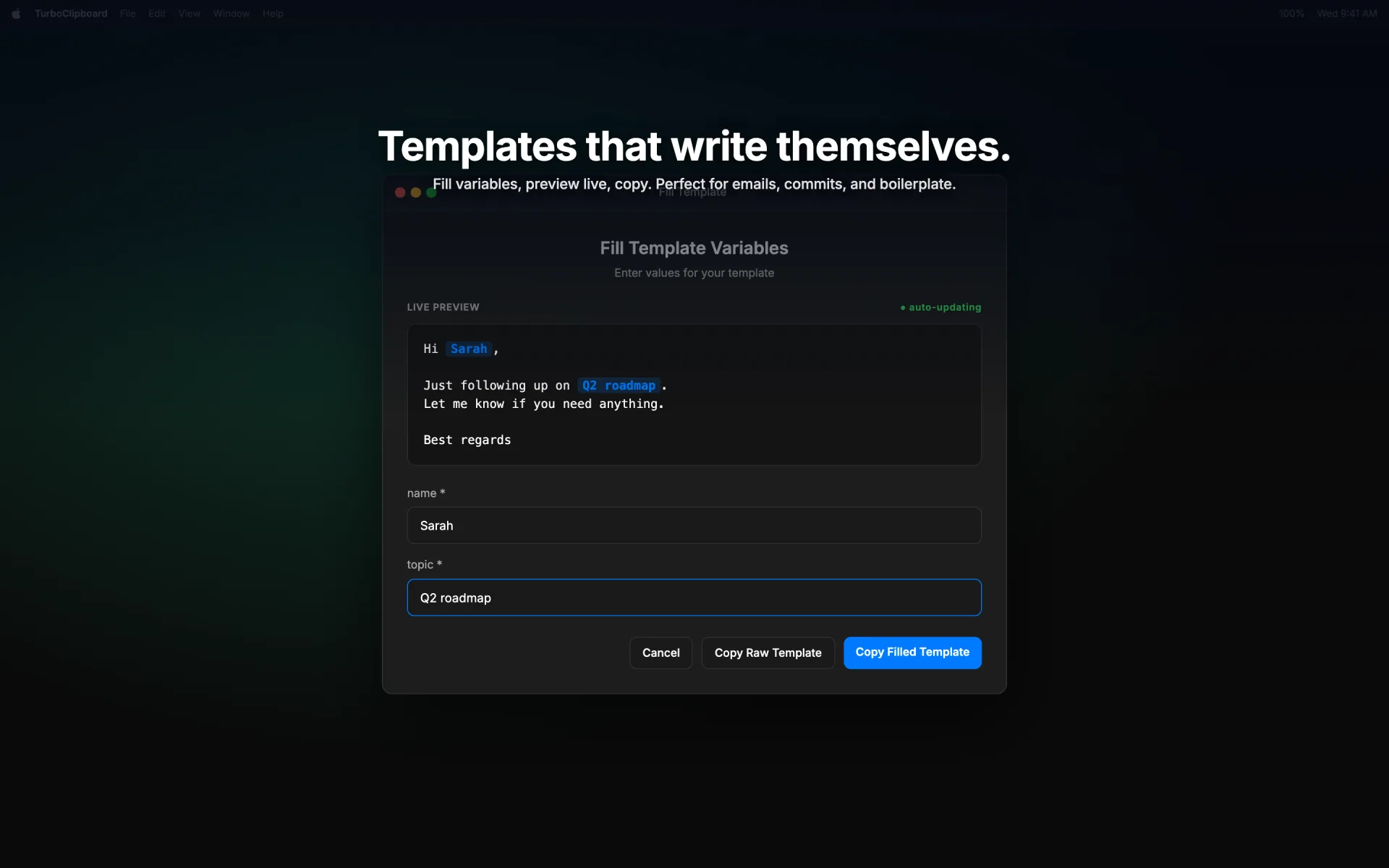
Mustache-style variables, built-in helpers, live preview, and guided fill flows on Mac and iOS.
Organize
Turn a Library search and tag filter into a reusable smart folder that syncs, encrypted, to your other devices.
Capture
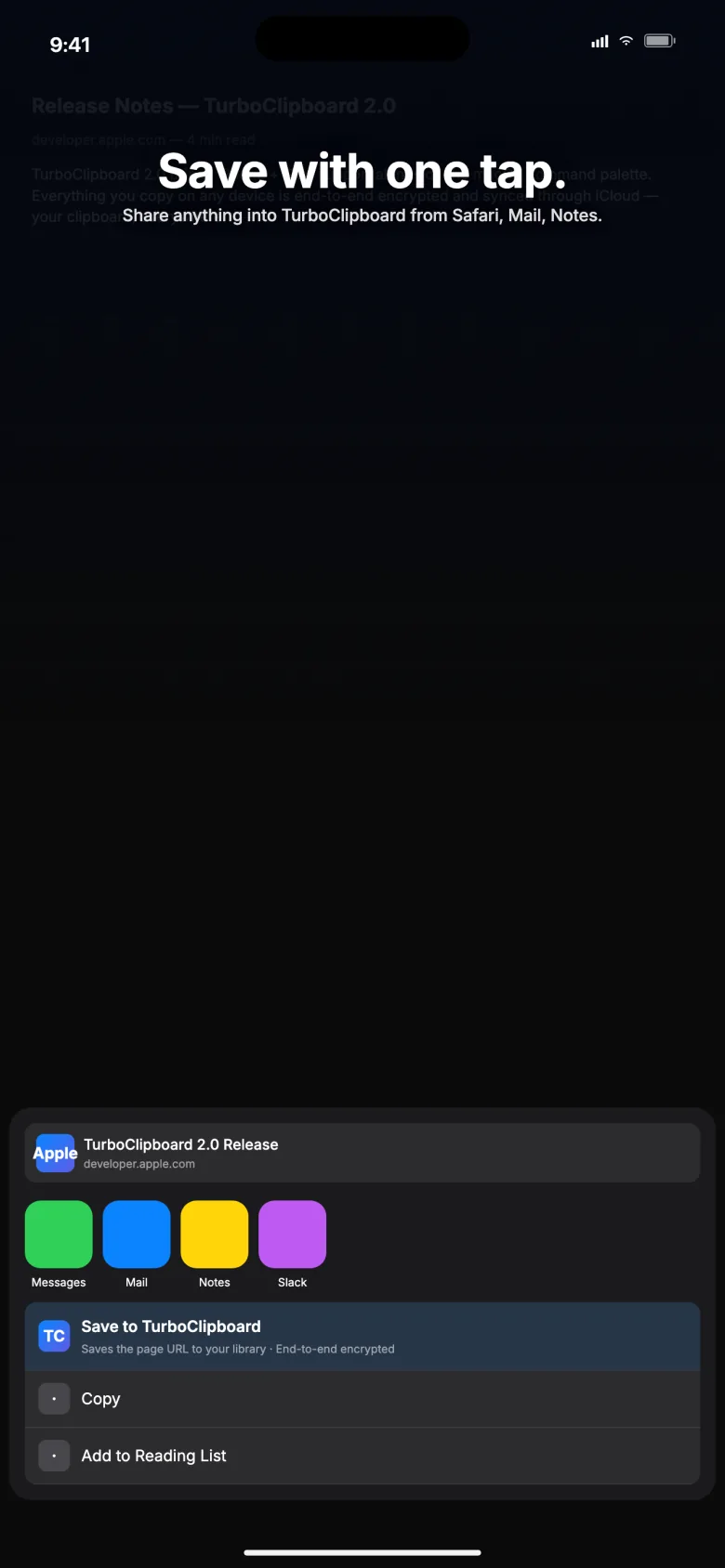
Share text and links into TurboClipboard from Safari, Notes, Mail, and any other app.
Latest updates
TurboClipboard keeps adding practical clipboard features without changing the privacy model.
Read the changelogDirect paste: Return pastes straight into the app you were using, with Option-Return and Shift-Return for quick variants.
Quick paste: hold Command to reveal number keycaps, then press 1-9 to paste any of the first nine results.
Command-K opens a searchable action panel for paste, preview, smart actions, save, pin, and delete.
Sensitive-clip protection conceals one-time codes, detected secrets, and password-manager copies, keeps them off sync, and can auto-expire them on a countdown.
The palette is resizable, remembers its size and position, and no longer appears in screen recordings or shares.
A redesigned, searchable Settings window with a nine-section sidebar and synced-vs-this-Mac badges.
Comfortable and Compact palette density, plus per-app "always paste as plain text" rules.
iPhone and iPad now categorize and summarize clips on-device at capture, matching the Mac.
Transform pipelines can run Apple Intelligence steps on your device — proofread, summarize, key points, and professional, friendly, or concise rewrites.
On-device semantic search fills out results by meaning when keyword matches run short, entirely on your Mac.
iPad gains hardware-keyboard shortcuts and pointer hover, plus Reduce Motion support and a Use Without Sync recovery path.
Included custom keyboard · iPhone + iPad
Switch to TurboClipboard’s keyboard to find a saved clip, paste a useful reply, or fill in a template’s details without opening the main app.
Search your library and tap the link, address, or reply you need.
Keep the wording. Fill in the name and topic, preview the result, then insert it into your draft.
Coming in v1.2.0
Tap Clipboard to keep copied text, or Selection to save selected text. You choose what to capture; iPhone capture is manual.
Included in your $9.99 one-time purchase (U.S.). Keyboard setup and Full Access required. Some apps and secure fields block custom keyboards.
Privacy architecture
Sync is optional and off until you turn it on. Everything is encrypted on your device before it syncs, and the key never leaves your Apple devices — so only you can read your clips.
Read the privacy policySave
You copy text, a link, an image, a file, or save a template. Images and files stay on this Mac by default. Text inside screenshots and PDFs is read on your device so you can search it.
Encrypt
Everything is encrypted on your device — with AES-GCM, Apple’s standard — before it is stored or synced.
Sync
If you turn sync on, only the encrypted version is stored in your own private iCloud account.
Decrypt
Your Apple devices share the key privately between themselves. Epistates never receives it, and never sees anything readable.
Your clipboard sees passwords, private messages, and half-finished thoughts. Every claim below is something you can verify yourself before you buy.
Apple’s own App Privacy label on the store listing — not our claim, theirs.
Nothing to sign up for. There is no Epistates server to hold your data.
A real Mac and iOS app — not a web view in a wrapper.
One purchase covers your household, across Mac, iPhone, and iPad.
Simple purchase
TurboClipboard is built as a native Apple-platform clipboard workspace, not a subscription service. Buy once, use the Mac app, iPhone app, iPad app, the share sheet, and the custom keyboard.
One purchase, every device
The same App Store purchase unlocks TurboClipboard on Mac, iPhone, and iPad.
No subscription
No account, no recurring plan, no ads, no tracking, and no cloud dashboard.
Private sync controls
Sync is optional, everything is encrypted before it leaves your device, and Mac images stay put unless you deliberately choose to sync one.
FAQ
No. TurboClipboard is a one-time $9.99 purchase on the App Store in the United States. There is no subscription, no in-app purchases, and no account to create. One purchase covers Mac, iPhone, and iPad, and Family Sharing is enabled.
Yes. The Mac, iPhone, and iPad apps are all covered by the same App Store purchase, including the iOS keyboard and the share sheet.
Yes. Optional iCloud sync keeps your text clips, templates, and settings on every Apple device you own. Everything is encrypted on your device before it syncs, so only your devices can read it — not Epistates, and not anyone else. Images and files from your Mac stay on that Mac unless you choose to sync a specific image.
One-time codes, API keys, and password-manager copies are detected on your device the moment you copy them. They stay hidden until you hover, never sync to your other devices, and can delete themselves on a countdown. This all happens locally, with no cloud service involved.
Full Access lets the keyboard open your TurboClipboard library so you can save and paste clips in any app. It never sends clips or keystrokes to Epistates or anyone else, and it does not log what you type.
Yes. Sync is optional and off unless you turn it on. Your clipboard history, saved clips, templates, search, and every Mac workflow keep working without it.
Occasional release notes from a solo developer — new features, and the occasional launch discount. No spam, no tracking, unsubscribe anytime.
Email me about updatesPrefer no signup? Subscribe to the release-notes feed
Your address is only used to send TurboClipboard updates. It is never sold or shared.
Available now
TurboClipboard is available on the App Store for $9.99 in the United States.
Get TurboClipboard — $9.99 once