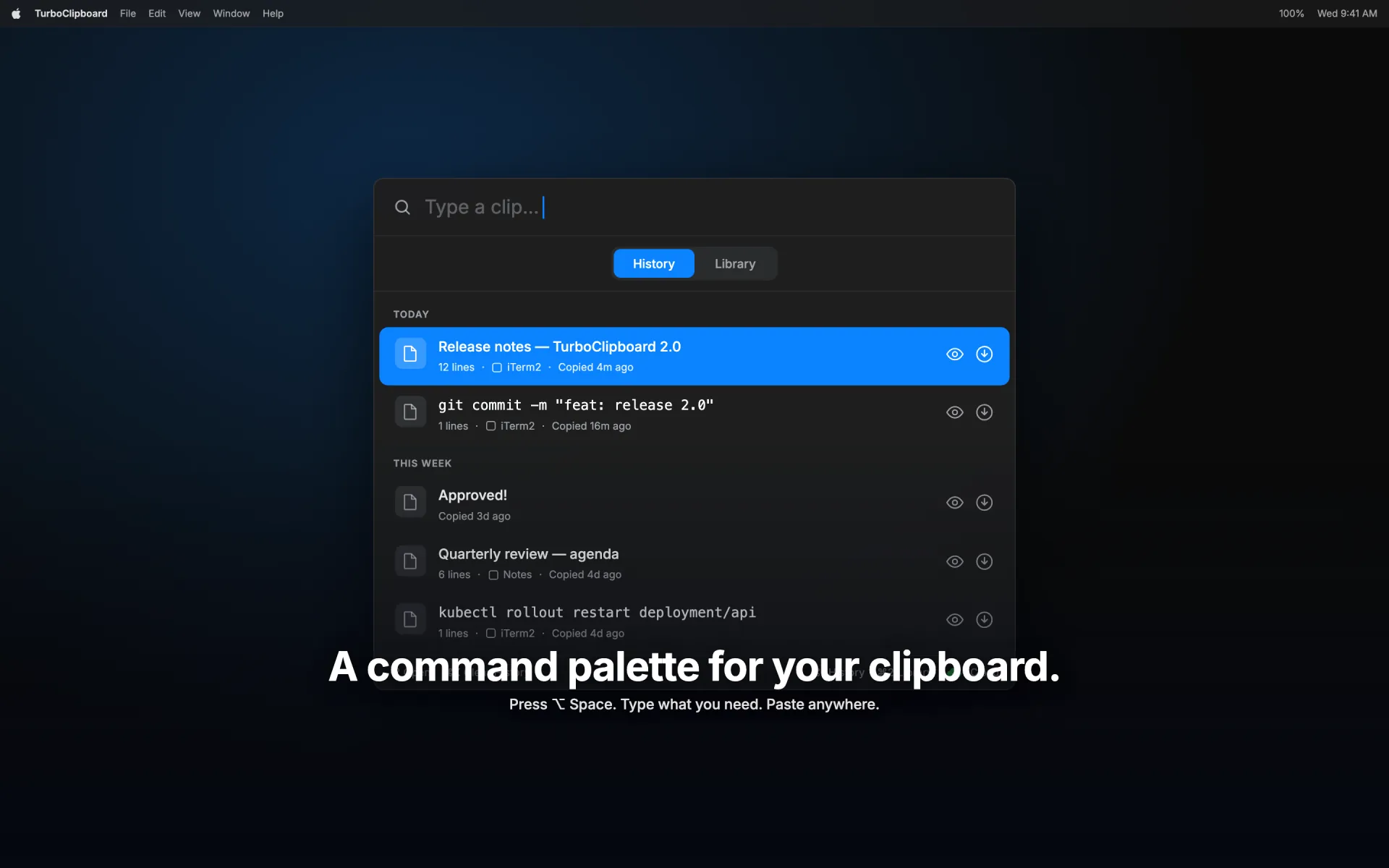
Why TurboClipboard

A private clipboard command center for the whole Apple ecosystem.

TurboClipboard competes on workflow depth, native platform fit, and privacy architecture: sensitive-clip protection, client-side encrypted sync, private-by-default rich capture, direct paste, templates, and an iOS keyboard.

Privacy

Sensitive clips protect themselves, by default.

One-time codes, API keys, and password-manager copies are detected on your device, stay hidden until you hover, never sync, and can delete themselves on a countdown. Anything that does sync is encrypted first. Images stay on your Mac unless you choose otherwise, and files never leave it.

Workflow

Built for copy, then act — in one keystroke.

Direct paste, quick paste with number keycaps, and a searchable Command-K action panel put preview, open, speak, transform, and merge one step away from any clip.

Alternatives

Weighing it against other clipboard managers?

There are good options out there, including free ones. See the honest side-by-side against Paste, Raycast, and Maccy — what each is good at, what it costs, and where TurboClipboard differs.

Compare the alternatives

Apple devices

Automatic on Mac, one tap on iOS.

The Mac app captures every copy automatically, extracts text locally, and holds the deepest privacy controls. iPhone and iPad browse synced clips and smart folders, fill templates, run Shortcuts, and both save and paste from the custom keyboard.

Head to head

How TurboClipboard compares.

Measured against a typical clipboard manager — the category baseline, not any single app. Every row is something you touch every day.

TurboClipboard

Sensitive-clip protection

TurboClipboard — One-time codes, API keys, and password-manager copies auto-detected, concealed until hover, kept off sync, and can auto-expire.

Typical — Copied secrets sit in plain history like any other clip.

Cross-device sync

TurboClipboard — Encrypted on your device before it syncs; the key never leaves your Apple devices and never touches a server.

Typical — Often unencrypted, or routed through the vendor’s own cloud account.

Paste back into your app

TurboClipboard — Return pastes straight into the app you were in, hold Command for 1-9 quick paste, and a Command-K action panel.

Typical — Usually re-copies to the clipboard; you switch back and paste manually.

On-device AI and transforms

TurboClipboard — Proofread, summarize, and rewrite steps run through Apple Intelligence, on your device — never the cloud.

Typical — Rare, or sends your clipboard text to a third-party AI service.

Search

TurboClipboard — Fuzzy search plus on-device semantic search that surfaces clips by meaning, not just keywords.

Typical — Literal keyword matching only.

iPhone and iPad companion

TurboClipboard — Native app, share sheet, and Shortcuts — plus a keyboard that both saves and pastes clips inside other apps.

Typical — Mac-only, or a read-only viewer with no keyboard.

Templates

TurboClipboard — Variables, smart helpers (date, clipboard, uuid…), and live preview on Mac and iOS.

Typical — Plain static snippets, if templates exist at all.

Rich-capture privacy

TurboClipboard — Images stay device-only until you opt in per image; files and app objects never leave the Mac.

Typical — All-or-nothing: everything syncs, or nothing does.

Account and tracking

TurboClipboard — No account, no analytics, no ads, and no Epistates backend to trust.

Typical — A vendor account and usage tracking are common.

Pricing

TurboClipboard — One-time $9.99, covering Mac, iPhone, and iPad with Family Sharing.

Typical — Recurring subscription is increasingly the norm.

Comparison reflects capabilities common to clipboard managers as of August 2026. TurboClipboard is an independent app and is not affiliated with, or comparing itself to, any specific product.

Interface proof

Screens that show the workflow.

Secrets conceal themselves without you asking.

One-time codes and detected secrets are masked in the row list, revealed only on hover, kept off sync entirely, and can auto-expire on a timer.

The palette is dense, but not busy.

Rows expose the actions you need on hover or selection, and Command-K surfaces the rest, so the default view stays scannable while power tools remain one click away.

Templates work on desktop and mobile.

Create variables on iOS, keep placeholders visible while filling, and use smart variables for dates, clipboard text, usernames, and UUIDs.

Mobile is a real companion, not a viewer.

The iOS keyboard saves and pastes clips without leaving the app you’re in, and the share sheet, Shortcuts support, and browsable smart folders make clips useful everywhere else, while the iPad layout gives Library and History room to breathe.

Positioning

Choose TurboClipboard when privacy, templates, and cross-device insertion matter.

Simple history managers are enough for basic copy recovery. TurboClipboard is for users who want a private, searchable, organized clipboard workspace across Mac, iPhone, and iPad.

Get TurboClipboard — $9.99 once